Sequential alignment
In this example we focus on how to use different policies in the AlignmentProblem to produce specific alignments of spatial samples.
See also
See Subset policy on how to use different policies.
See Alignment of spatial transcriptomics data on how to align spatial transcriptomics data.
Preliminaries
import warnings

warnings.simplefilter(action="ignore", category=UserWarning)


from moscot import datasets
from moscot.problems.space import AlignmentProblem

import squidpy as sq
Simulate data using sim_align().
adata = datasets.sim_align()
adata
AnnData object with n_obs × n_vars = 1200 × 500
    obs: 'batch'
    uns: 'batch_colors'
    obsm: 'spatial'
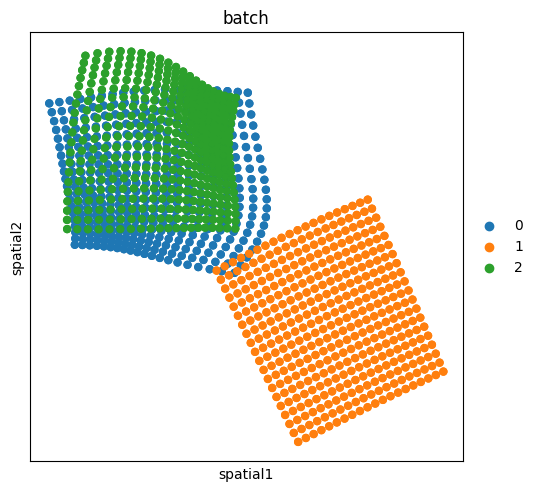
The adata consists of 3 different slides (batches), each having 400 cells.
sq.pl.spatial_scatter(adata, shape=None, library_id="batch", color="batch")
In the AlignmentProblem, there are two available policies: SequentialPolicy and StarPolicy.
Star policy
StarPolicy means that transport maps will be computed from every batch to the reference one. Hence, reference needs to be specified in prepare().
ap = AlignmentProblem(adata=adata)
ap = ap.prepare(batch_key="batch", policy="star", reference="2")
INFO Computing pca with `n_comps=30` for `xy` using `adata.X`
INFO     Normalizing spatial coordinates of `x`.
INFO     Normalizing spatial coordinates of `y`.
INFO     Computing pca with `n_comps=30` for `xy` using `adata.X`
INFO     Normalizing spatial coordinates of `x`.
INFO     Normalizing spatial coordinates of `y`.
ap = ap.solve()
ap.solutions
INFO     Solving `2` problems
INFO     Solving problem OTProblem[stage='prepared', shape=(400, 400)].
INFO     Solving problem OTProblem[stage='prepared', shape=(400, 400)].
{('1', '2'): OTTOutput[shape=(400, 400), cost=1.1172, converged=True],
 ('0', '2'): OTTOutput[shape=(400, 400), cost=0.2524, converged=True]}
##Aligning the slides to one reference
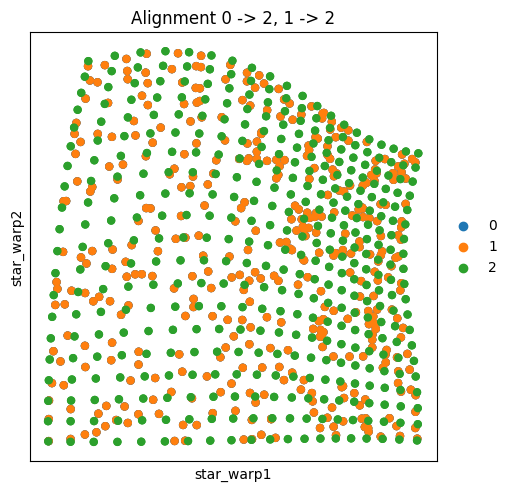
When we use align(), on a problem prepared with policy="star", all of the batches are aligned to the same reference as the policy:
ap.align(key_added="star_warp")
sq.pl.spatial_scatter(
    adata,
    shape=None,
    spatial_key="star_warp",
    library_id="batch",
    color="batch",
    title="Alignment 0 -> 2, 1 -> 2",
)
Sequential policy
ap = AlignmentProblem(adata=adata)
ap = ap.prepare(batch_key="batch", policy="sequential")
INFO     Computing pca with `n_comps=30` for `xy` using `adata.X`
INFO     Normalizing spatial coordinates of `x`.
INFO     Normalizing spatial coordinates of `y`.
INFO     Computing pca with `n_comps=30` for `xy` using `adata.X`
INFO     Normalizing spatial coordinates of `x`.
INFO     Normalizing spatial coordinates of `y`.
ap = ap.solve()
ap.solutions
INFO     Solving `2` problems
INFO     Solving problem OTProblem[stage='prepared', shape=(400, 400)].
INFO     Solving problem OTProblem[stage='prepared', shape=(400, 400)].
{('1', '2'): OTTOutput[shape=(400, 400), cost=1.1172, converged=True],
 ('0', '1'): OTTOutput[shape=(400, 400), cost=1.0933, converged=True]}
##Aligning the slides sequentially
When we use align() as is, all of the slides are aligned to the reference:
ap.align(reference="2", key_added="seq_warp")
sq.pl.spatial_scatter(
    adata,
    shape=None,
    spatial_key="seq_warp",
    library_id="batch",
    color="batch",
    title="Alignment 0 -> 1 -> 2",
)
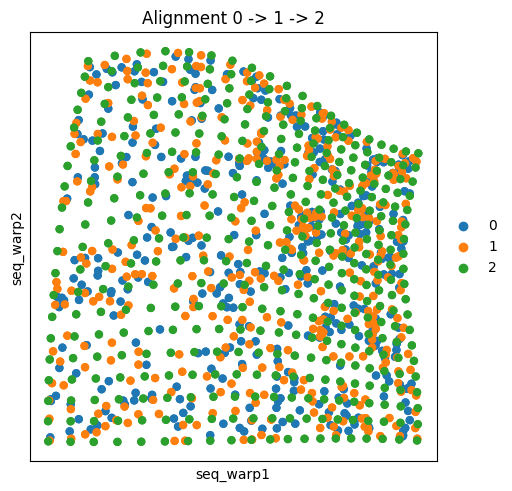
As, according to the sequential policy, no transport map was computed from batch 0 to batch 2 directly, the alignment 0 -> 2 is achieved by chaining two transport maps 0 -> 1 -> 2.
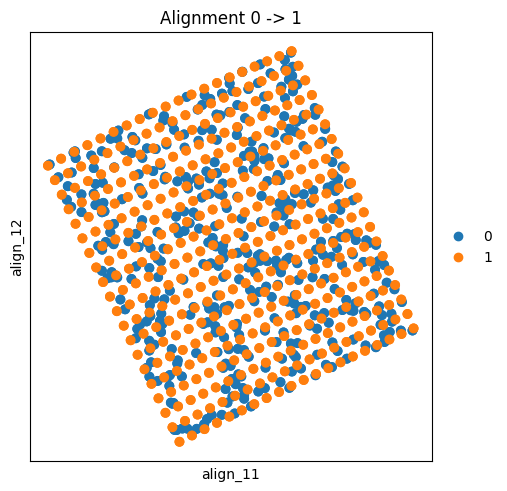
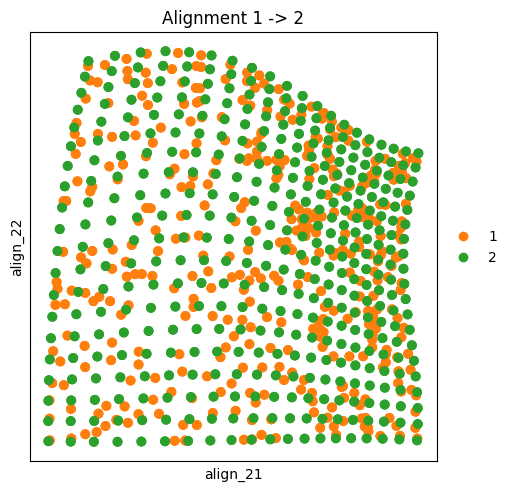
Now, if we want to see the mapping of only the directly sequential batches, there are two options.
First, we can use align() multiple times, changing the reference batch and subsetting adata for plotting if needed.
ap.align(reference="1", key_added="align_1")
sq.pl.spatial_scatter(
    adata[adata.obs["batch"].isin(("0", "1"))],
    shape=None,
    spatial_key="align_1",
    library_id="batch",
    color="batch",
    title="Alignment 0 -> 1",
)
ap.align(reference="2", key_added="align_2")
sq.pl.spatial_scatter(
    adata[adata.obs["batch"].isin(("1", "2"))],
    shape=None,
    spatial_key="align_2",
    library_id="batch",
    color="batch",
    title="Alignment 1 -> 2",
)
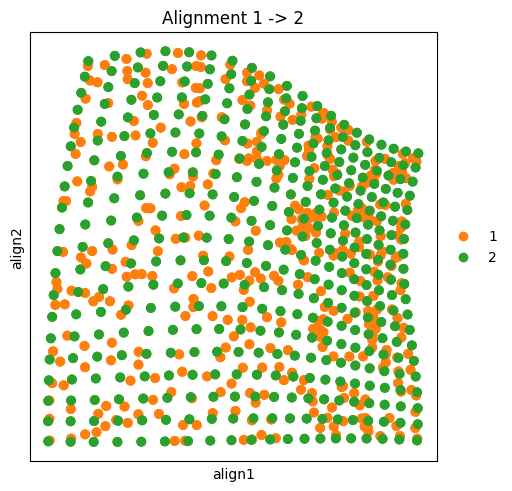
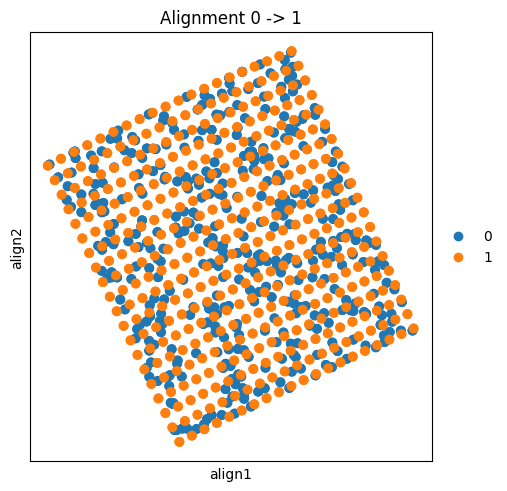
The second option would be instantiating different AlignmentProblems only with the relevant slides, and thus do pairwise alignments.
ap01 = AlignmentProblem(adata=adata[adata.obs["batch"].isin(("0", "1"))])
ap01 = ap01.prepare(batch_key="batch")
INFO     Computing pca with `n_comps=30` for `xy` using `adata.X`
INFO     Normalizing spatial coordinates of `x`.
INFO     Normalizing spatial coordinates of `y`.
ap01 = ap01.solve()
ap01.solutions
INFO     Solving `1` problems
INFO     Solving problem OTProblem[stage='prepared', shape=(400, 400)].
{('0', '1'): OTTOutput[shape=(400, 400), cost=1.0933, converged=True]}
ap12 = AlignmentProblem(adata=adata[adata.obs["batch"].isin(("1", "2"))])
ap12 = ap12.prepare(batch_key="batch")
INFO Computing pca with `n_comps=30` for `xy` using `adata.X`
INFO     Normalizing spatial coordinates of `x`.
INFO     Normalizing spatial coordinates of `y`.
ap12 = ap12.solve()
ap12.solutions
INFO     Solving `1` problems
INFO     Solving problem OTProblem[stage='prepared', shape=(400, 400)].
{('1', '2'): OTTOutput[shape=(400, 400), cost=1.1172, converged=True]}
ap01.align(reference="1", key_added="align")
sq.pl.spatial_scatter(
    ap01.adata,
    shape=None,
    spatial_key="align",
    library_id="batch",
    color="batch",
    title="Alignment 0 -> 1",
)
ap12.align(reference="2", key_added="align")
sq.pl.spatial_scatter(
    ap12.adata,
    shape=None,
    spatial_key="align",
    library_id="batch",
    color="batch",
    title="Alignment 1 -> 2",
)